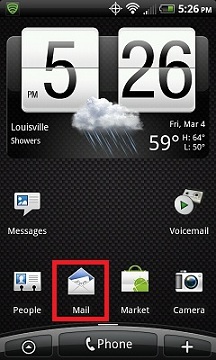
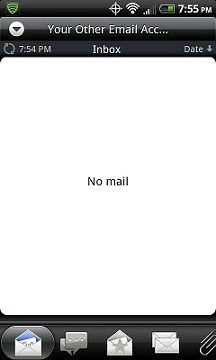
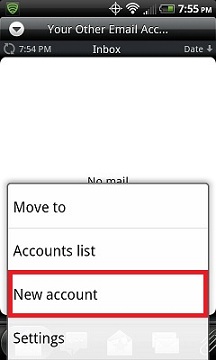
2. If youDO NOTalready have a POP, IMAP or Exchange email account setup on your phone,skip to step 5,other wise you should see a screen like the one below.
From this screen, click theMenu Buttonon yourphone to bring up additional setting options.
3. ClickMore.
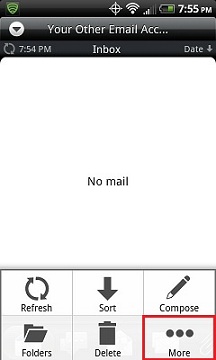
4. ClickNew account.
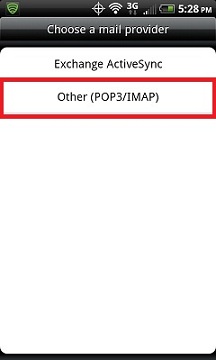
5. SelectOther (POP3/IMAP).
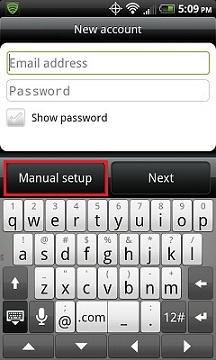
6. Choose Manual Setup.
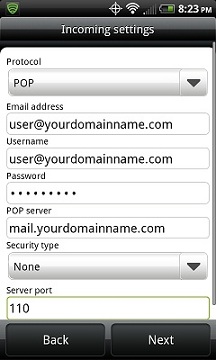
7. Fill out theIncoming settingsscreenlike the example below with your specific credentials then clickNext.
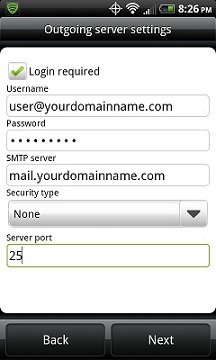
8. Fill out theOutgoing server settingsscreen like the example below with your specific credentials thenclickNext.
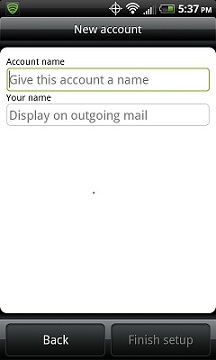
9. Choose what to call this email account on the following screen then clickFinish Setup.